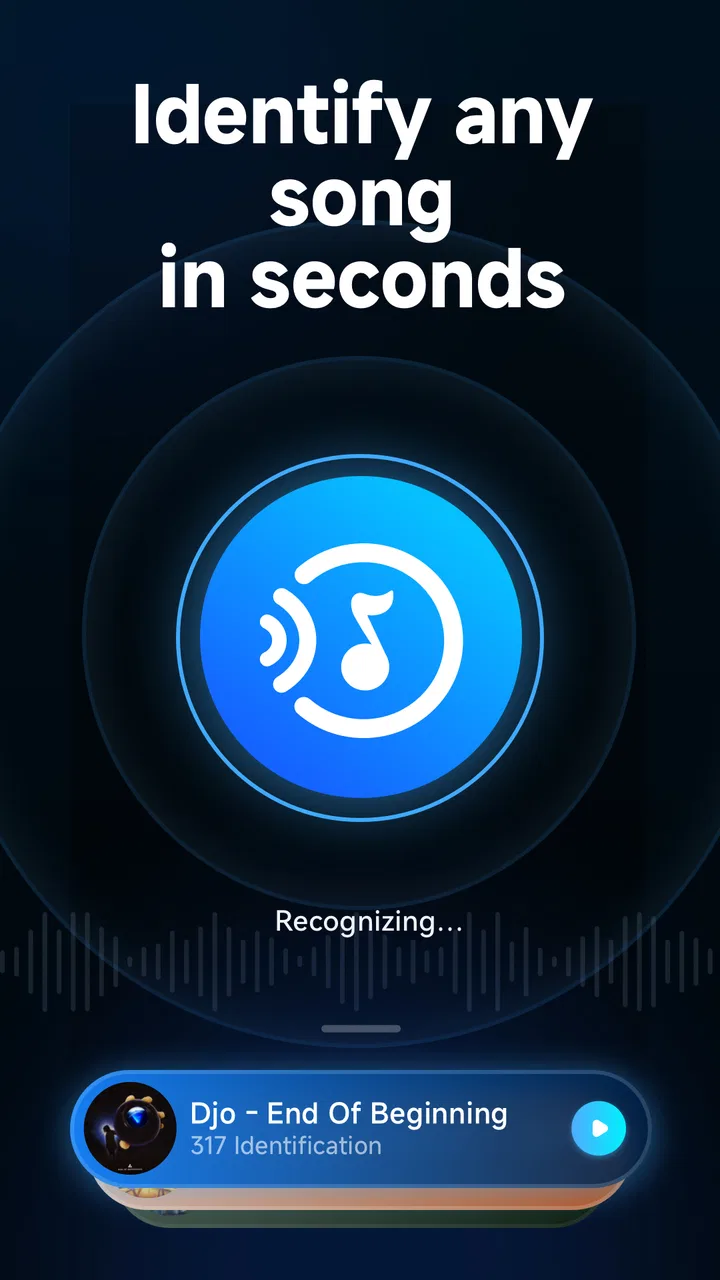
Music Recognition - Find Songs
- 4.3
- Rating
- 10.00M
- Installs
- Free
- Price

 Analysis by App-foxy
I use song-recognition apps for one simple reason: a track starts playing, I like it, and I want its name before the moment disappears. Music Recognition - Find Songs takes that narrow task and keeps it straightforward. It belongs to the Music & Audio category, is free to install, and is made by yixiaoqing. In my experience, its appeal is not a huge music library or a social community; it is the quick attempt to identify music playing around me.
That focused approach makes it easy to understand, but it also means I judge it by practical details rather than by a long feature list. How quickly can I reach recognition? Does it work well in a noisy room? What should I do when the first attempt fails? Can I use it as part of a repeatable listening habit instead of opening it only by accident? Those questions matter more here than flashy extras.
How I use it when a song starts playing
My baseline workflow is deliberately simple. When I hear an unfamiliar song, I open the app, place the phone where the music is reasonably clear, and start recognition. I avoid holding the microphone directly against a speaker because distortion can make any recognition service struggle. If the music is coming from a television, car stereo, café system, or another phone, I try to give the device a clean sample rather than moving it around constantly.
You May Also Like

 Blood Strike: 2.5 Anniversary
Blood Strike’s Loadouts Turn Every Drop Into a Tactical Gamble
A close look at Blood Strike’s custom loadouts: how fast access to signature weapons reshapes its battle royale rhythm, rewards preparation, and narrows the gap between fights.

 Pandora - Music & Podcasts
Pandora’s Music Is Easy to Start, but Harder to Recover
Pandora’s strength is its low-effort path from a seed to a station. Its weak spot is how much confidence it asks you to place in connection, setup, and quiet recovery.

 8 Ball Pool
 Is Built on Rivalries, Rematches, and Routine
A close look at the rivalries, rematches, shared routines, and unanswered safety questions that turn a quick pool match into a persistent mobile community.

 Samsung Music
’s Quiet Strength Is Playing What You Already Own
Its reach comes less from spectacle than from dependable access to a personal library. That simplicity is both the app’s strongest retention engine and its ceiling.

 AccuWeather: Weather Radar
AccuWeather Review: A Quick, Clear Forecast for Everyday Decisions
For everyday plans, the best forecast is the one you can understand quickly. AccuWeather makes rain timing, radar, and local conditions easy to act on, with a few trade-offs.

 Hill Climb Racing
Why Hill Climb Racing Still Turns Crashes Into One More Run
A tiny car, a bumpy hill and one more upgrade: Hill Climb Racing keeps resurfacing because its simple chaos makes every near-miss feel personal.
More From Our News Desk



The best everyday scenario is a song playing in a shop. I can step slightly away from conversations, launch the app, and let it listen for a moment. If the result appears, I note the title and artist immediately instead of assuming I will remember the melody later. That small habit is more useful than repeatedly trying to identify the same track after leaving the room.
I also find it helpful during films, online videos, and radio programs. In those situations, dialogue often overlaps the music, so timing matters. I wait for an instrumental passage or a clearer part of the chorus, then run recognition. This is one of the first practical lessons with Music Recognition - Find Songs: a better audio moment often helps more than repeated taps.
The app is suitable for quick checks rather than careful music research. If I only need the name of a song, its direct design is convenient. If I want extensive artist biographies, curated playlists, lyrics, concert information, or a large personal music library, I would use a dedicated streaming or music-discovery service after identifying the track. This app can be the first step, but it is not a replacement for every music tool.
What I check before blaming the recognition result
When a match does not appear, I first consider the sound environment. A busy café, several people talking, traffic, or another song playing nearby can all reduce the quality of the sample. I move closer to the source without placing the phone directly against it, pause if possible, and try again during a more distinctive section. That workflow is faster than assuming the app has no chance of recognizing the song.
Volume also deserves a sensible approach. Very low volume may leave the microphone with too little detail, while excessive volume can produce harsh distortion. I aim for a clear, comfortable level and keep the phone steady. If the track is playing through small laptop speakers, changing the phone’s position by a little can make the recording cleaner.
Another useful habit is to avoid speaking while recognition is active. Saying the artist’s name, asking a friend a question, or covering the microphone with a hand can introduce unnecessary noise. I let the app listen without interference, then discuss the result afterward. It sounds obvious, but this is exactly the kind of small behavior that separates a reliable routine from random attempts.
Settings and phone habits worth checking
There is no reason to change every phone setting just because an identification attempt fails. I begin with the basics: the app should be updated, the phone should not be in an unusual audio mode, and the microphone should not be blocked by a case, dust, or a finger. Music Recognition - Find Songs runs on Android versions from 7.0 onward, so it can fit many older Android phones as well as newer ones.
I also check whether another application is actively using the microphone. A voice call, recording tool, video meeting, or assistant may interfere with listening. Closing or pausing that activity gives recognition a cleaner chance. This is especially relevant when I am trying to identify music from a browser or video app and have several things open at once.
Because the app is free, I can try it without committing money at the start. There are in-app purchases ranging from around three dollars to around two hundred dollars per item, so I would pay attention to any purchase screen and avoid tapping through automatically. For a basic identification need, I would first use the free experience and decide whether any paid option genuinely adds value to my routine.
The content rating is Everyone, which makes the app broadly approachable for households and casual users. That does not remove the need for normal phone awareness: I still avoid handing my unlocked device to someone else just to identify a song, and I prefer checking any result myself before saving it elsewhere. The age rating tells me the app is accessible, not that every surrounding phone habit is risk-free.
The current version is 15.1, and I would keep an eye on the installed version when troubleshooting. If the app behaves differently after an update, restarting it and trying a fresh recognition session is a sensible first move. I would not build a complicated workaround around one failed attempt before checking whether the app is simply waiting for a cleaner sample.
Shortcuts that make recognition feel less interruptive
Experienced use is mostly about reducing the time between hearing a song and starting the scan. I keep the app somewhere easy to reach instead of burying it among rarely used icons. On a phone with a convenient home-screen arrangement, placing it near other tools I use in public makes a difference. I do not need a special feature to create this shortcut; the improvement comes from making the action predictable.
I also use a repeatable three-step pattern: hear the song, find a quiet listening position, and start recognition during a distinctive section. This prevents the common mistake of opening the app only after the chorus has ended. If I am watching a video, I pause at a musical passage when the app needs more time. If I am in a shop, I make one careful attempt rather than several rushed ones.
For songs I want to remember, I write the result down immediately or save it in the music service I already use. The recognition app itself should not become the only place where I expect to find the track later. This separation is useful: Music Recognition - Find Songs handles discovery, while my preferred playlist or notes app handles long-term organization.
When friends ask me to identify a song, I ask them to stop talking for a few seconds and play the clearest available section. That turns a noisy group activity into a controlled test. It also avoids a misleading judgment based on a poor sample. If the song is being played from another phone, I keep the two devices a short distance apart and avoid covering either speaker or microphone.
Where the app is strong in real use
The main strength is focus. I do not have to browse through genres, search by partial lyrics, or guess an artist from a melody before trying recognition. For someone who frequently hears music without knowing the title, that direct path is valuable. It is especially useful when lyrics are unclear, the language is unfamiliar, or the song is an instrumental track.
Its broad adoption also gives me confidence that it is not an obscure experiment. The app has an average rating of 4.4 from around one hundred forty-eight thousand ratings, with more than five million installs. Those figures do not guarantee that every song will be recognized, but they suggest that many people find the basic purpose worthwhile.
I appreciate the low entry barrier. There is no purchase required to install it, and the Everyone rating makes it an uncomplicated recommendation for a person who simply wants to name music. The developer, yixiaoqing, has kept the identity of the product clear: this is a recognition utility, not a full music-management environment.
Another strength is that it can complement rather than replace other services. I can use it to identify a track, then open my usual streaming app to listen to the full version, add it to a playlist, or compare recordings. That division of labor feels natural. Trying to force one app to perform every part of music discovery usually creates more friction than it removes.
Limits that experienced users should expect
Recognition is dependent on the audio sample. A song buried under conversation, crowd noise, sound effects, or heavy echo is a difficult target. I would not treat a failed result as proof that the track is unavailable. At the same time, I would not promise a friend that every obscure recording, live performance, remix, or altered edit will be identified successfully.
Timing can be awkward in places where music changes quickly. A short intro, a transition between tracks, or a brief background cue may disappear before I manage to start listening. The app is more useful when I anticipate the attempt and open it promptly. This is why a home-screen shortcut and a practiced workflow matter more than they might seem.
The app is also not the right choice for every kind of search. If I remember a distinctive lyric but cannot play the song, a lyric-search tool may be more suitable. If I want recommendations based on mood, a streaming service will do more. If I need to catalog a large collection of recordings, I would choose software designed for library management. Music Recognition - Find Songs is strongest when the music is currently audible and the goal is identification.
I would also keep expectations realistic around results. A recognized title is a starting point, not a guarantee that it is the exact version I heard. Radio edits, live recordings, covers, and remixes can resemble the familiar studio track. I check the artist and listen briefly afterward, especially when the result will be added to a playlist or shared with someone else.
Who should install it and who should skip it
I would recommend it to casual listeners, commuters, students, families, and anyone who often says, “What song is that?” It is particularly useful for people who do not want to memorize lyrics or maintain a large music database. Since it is free to install and supports Android 7.0 and later, it can be a practical option on an older spare phone as well as a current device.
I would be more cautious recommending it to someone who expects a complete music platform. If your priority is offline playback, playlist collaboration, music discovery feeds, lyrics, or detailed artist information, you will still need another service. The same is true if most of your searches begin with remembered words rather than music playing nearby.
For parents or shared-device households, the Everyone rating is reassuring, but I would still explain the purchase boundary before letting a child explore the app. The presence of in-app purchase items means “free” should be understood as free to install, not as a promise that every available option has no cost. A quick conversation about not confirming purchases is enough for most families.
My repeatable routine for better results
My practical routine is now consistent. I keep the app easy to reach, wait for a recognizable part of the track, move away from competing noise, and hold the phone steady. If the first attempt fails, I change one thing at a time: position, timing, or background noise. That makes it easier to understand what helped instead of repeating the same poor setup.
After a successful match, I verify the artist and version before adding the song to a playlist. If I am in a hurry, I record the title in a note and organize it later. This is a better workflow than trying to browse a music service while standing in a noisy environment, where I might lose the original result or accidentally choose the wrong recording.
I also avoid using recognition as a party trick when the room is too loud. Asking everyone to stop for a few seconds usually produces a better result than waving the phone around. In a car, I wait until the vehicle is safely stopped before handling the phone. The app may be designed for quick identification, but safe timing still matters more than speed.
After using it repeatedly, I see the product as a small tool that rewards good habits. It does not need an elaborate setup, and it does not solve every music-search problem. Its value comes from making one frustrating moment—hearing a song with no title—much easier to handle.
My verdict after making it part of my listening habits
Music Recognition - Find Songs is worth trying if your main need is identifying music that is playing right now. I like its focused purpose, free entry point, broad device compatibility, and uncomplicated place in my music routine. The app is most convincing when I use it deliberately: clean audio, quick access, steady phone placement, and immediate follow-up in my preferred music service.
Its limitations are equally clear. No recognition tool can turn a noisy, distorted, or extremely brief sample into a guaranteed match, and this app is not a substitute for streaming, lyric search, or music-library software. I would skip it if those broader functions are what I actually want.
For the right user, though, the decision is easy. Install it for the moments when a song catches your attention unexpectedly, build a simple recognition habit, and treat the result as the beginning of discovery rather than the whole listening experience. With that expectation, yixiaoqing’s app is a useful, approachable addition to an Android music toolkit.
FAQs for Music Recognition - Find Songs
01How does Music Recognition - Find Songs work?
Music Recognition - Find Songs uses advanced audio analysis technology to identify songs by listening to a short audio clip. When you activate the app and let it "listen" to the music playing around you, it quickly matches the clip against a vast database of tracks to provide you with the song's title, artist, and album details.
02Is Music Recognition - Find Songs free to use?
Music Recognition - Find Songs offers a free version with basic features, allowing users to identify songs. However, there might be premium or subscription options that provide additional features such as ad-free usage, offline recognition, and high-quality audio previews. Check the app store listing for detailed pricing information.
03Does Music Recognition - Find Songs require an internet connection?
Yes, Music Recognition - Find Songs typically requires an internet connection to access its extensive database and provide accurate results. Some versions may offer offline recognition for previously identified songs, but for new searches, ensure you have a stable internet connection for the best performance.
04Can Music Recognition - Find Songs identify songs from any source?
Music Recognition - Find Songs is designed to recognize songs from various sources, including radio, TV, and streaming services. However, its accuracy can be affected by background noise or poor audio quality. For optimal results, try to ensure the audio is clear and as close to the source as possible.
05What should I do if the app fails to recognize a song?
If Music Recognition - Find Songs fails to recognize a song, check that the audio is clear and free from significant background noise. Ensure your device's microphone is functioning correctly. If problems persist, try restarting the app or your device. Occasionally, some songs might not be in the database, especially if they are very new or obscure.
Pros
- Identifies songs quickly and accurately.
- Supports multiple music streaming platforms.
- User-friendly interface with simple navigation.
- Offline mode for identifying songs without data.
- Provides song lyrics and artist information.
Cons
- Requires internet for some features.
- Occasional misidentification in noisy environments.
- Limited language options for lyrics display.
- Frequent ads in the free version.
- Battery drain when running in the background.

Music Recognition - Find Songs
Gallery